Field Service Documentation: A Fresh Look at Equipment Tags and Site Photos
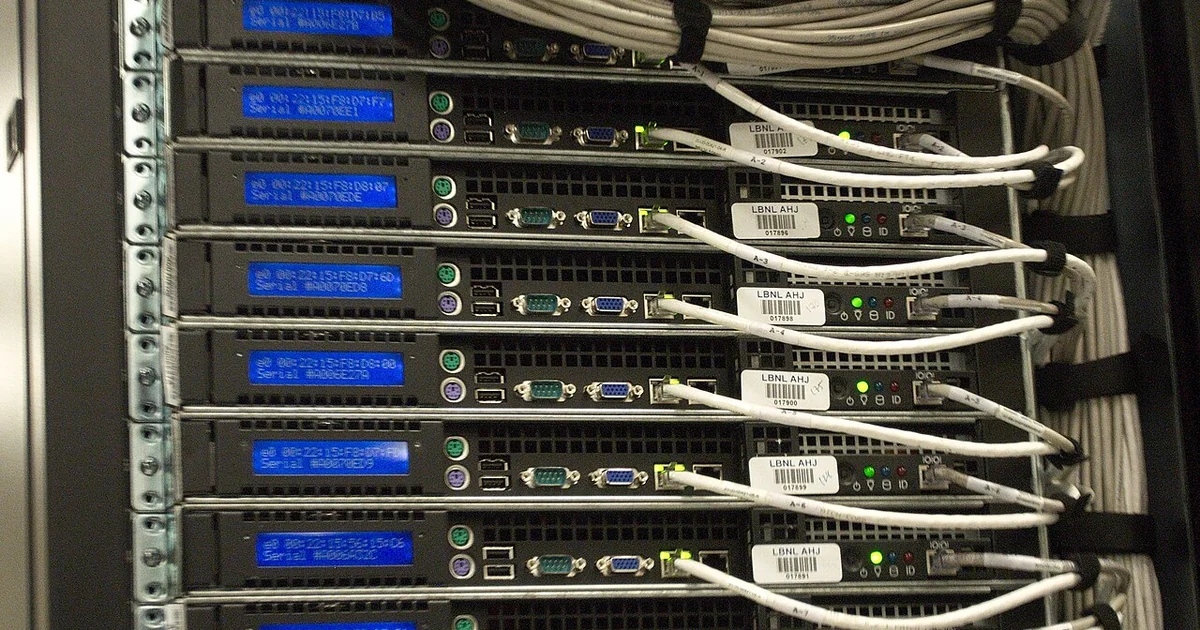
Most small businesses discover the value of field documentation the hard way. A technician arrives to fix one thing, finds three more problems, and leaves with a vague memory of what was touched. A month later, nobody can say which switch port was relabeled, which cable run was rerouted, or whether a panel was ever closed. The fix is not a bigger notebook. It is a short, repeatable habit of capturing the state of a site before work begins, during work, and at closeout, so that the next person who walks in is working from evidence instead of recollection. This article focuses on one overlooked angle: the pre-visit baseline and the condition record that proves what the site looked like before anyone touched it.
Why the Baseline Matters More Than the Closeout
Closeout notes get the attention, but the baseline is what makes them meaningful. A closeout that says 'replaced failed power supply' tells you little if nobody recorded which unit, in which chassis, showing which symptoms, and whether the adjacent units were warm, dusty, or already flagged. A baseline answers those questions before the first screw is turned.
A useful baseline is short. It covers the location, the equipment in scope, the visible condition of each item, and any open issues the customer already knows about. It also records what is explicitly out of scope, so a technician who notices a loose patch panel next to the work area knows whether to fix it, flag it, or leave it alone. Without that boundary, field visits drift, and invoices and expectations drift with them.
Photographs make the baseline concrete. Take wide shots of each wall or rack before work, then close shots of labels, serial plates, and cable routing that matters. Keep the files named by location and date rather than by camera default names, so they can be found later.
Equipment Tags and Serial Logs
A serial number is worth more than a model name. Two devices of the same model can have different firmware, warranty status, and service history. Record the serial, the asset tag if one exists, the physical location, and the state of the unit when you arrived. If a tag is missing, say so rather than guessing.
Build a simple table with one row per device. Columns should include location, device type, make and model, serial, observed condition, and whether the device was touched during the visit. This table can live in a spreadsheet, a shared document, or a printed sheet in the rack door. The format matters less than consistency. A table that is filled in the same way every visit becomes a reliable history, and a history makes it easy to notice that a device has failed three times in eighteen months.
Questions to Settle Before the Visit
Some of the most useful documentation is decided before anyone arrives. Ask the business owner or office manager a few specific questions and write the answers down. Who is the on-site contact, and what is their availability? Where are the keys, badges, or access codes kept, and who is authorized to grant access? Are there areas that are off limits, such as a locked closet or a shared network room controlled by another tenant?
Ask about recent changes. A new printer, a moved desk, or a contractor who ran cable last month can explain symptoms that look mysterious. Ask whether any equipment is under a support contract or warranty that the technician should know about, and whether the owner has the documentation for it. Do not assume the answers; write them into the record so the next visit starts with the same facts.
A Practical Checklist for Each Field Visit
Before arriving, confirm the scope in writing, the on-site contact, the access method, and the list of known equipment. On arrival, photograph the work area and the equipment in scope, and note any conditions that could be confused with damage later, such as existing scuffs, dust, or water stains. During the visit, record every change as it happens: the part removed, the part installed, the port or cable affected, and the time. Before leaving, walk the site with the contact, confirm what was completed, what was not, and what needs follow-up, and have them acknowledge the list in writing or by signature.
Afterward, file the photos and the updated equipment table in the same place every time. Send a short summary to the contact within a reasonable window, stating what was done, what remains open, and what the business should decide next. This closes the loop and gives the owner a record they can keep, even if they change providers later.
The payoff of this discipline is not paperwork for its own sake. It is a site that the next technician can understand in minutes instead of hours, and a business that can answer basic questions about its own equipment without relying on one person's memory.