Rack Inventory Before the Truck Arrives: Labeling and Mapping Gear for a Smoother Move
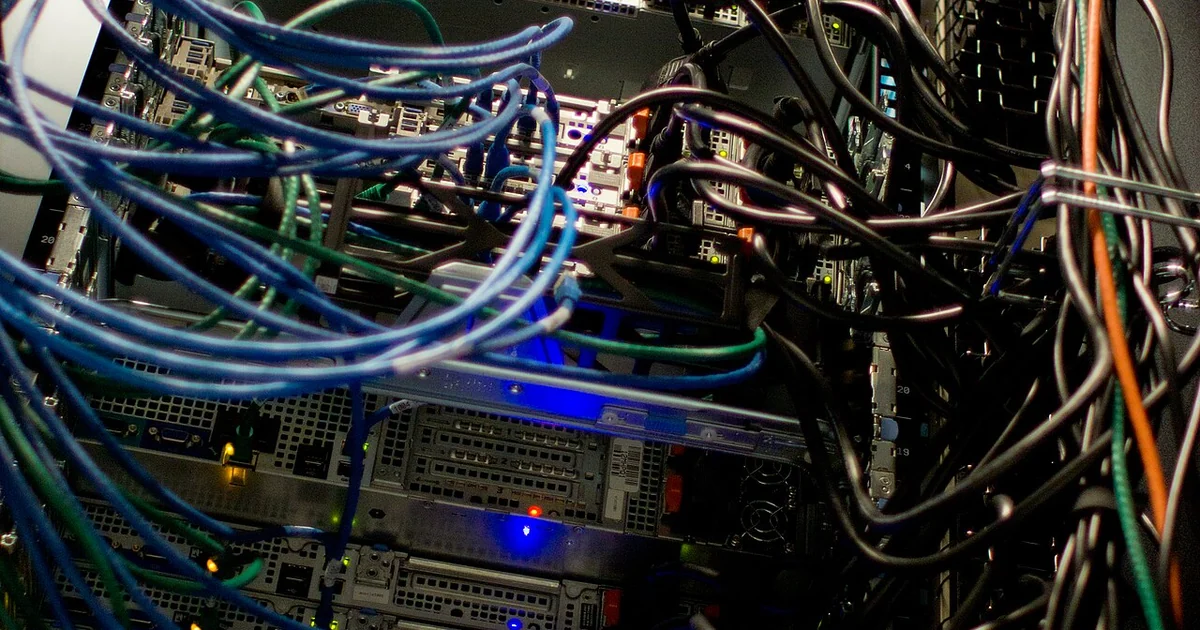
Most migration problems do not start on moving day. They start weeks earlier, when nobody can say with confidence which device is plugged into which port, which power feed supports which rack, or which cable carries the link to the accounting server. A rack that has grown over years usually holds equipment that was installed by different people for different reasons, and the paperwork rarely keeps up. This article focuses on one narrow but high-value task: building a physical map of your racks, cables, and devices before anything leaves the room. The goal is not perfection. The goal is a record accurate enough that a person who has never seen your server room can understand it and make decisions from it.
Start With the Rack Elevation
Begin by drawing or photographing each rack from the front and the rear. For each rack, list every mounted item from the bottom up, noting its rack unit position, its approximate height in rack units, and whether it is a server, switch, patch panel, power distribution unit, storage shelf, or something else. Empty space matters too. A gap in the elevation tells the next person where spare capacity exists and where a device was removed but never documented.
Assign each rack a short, permanent label such as R1, R2, and so on, and place a matching label on the physical rack. Do the same for each device, using a name that matches how your team talks about it rather than the manufacturer model number alone. A device called the file server in conversation should appear as the file server in the record. Consistency here prevents confusion when someone asks which box is being moved.
Trace Cables Before You Touch Them
Cable tracing is slow, but it is the step that most often prevents surprises. For each active port on a switch or patch panel, record the source device, the destination device, the port number on each end, and the purpose of the connection if it is not obvious. Note whether the link is a network uplink, a storage connection, a power cable, or a management connection. Management cables are easy to forget and easy to need when something goes wrong.
When tracing is difficult, label the cable at both ends with a temporary tag before disconnecting anything. Do not rely on memory or on the cable color, since many environments reuse colors across unrelated functions. If a cable cannot be traced with confidence, mark it as unknown in the record rather than guessing. An honest unknown is more useful than a confident error.
Record Power and Cooling Dependencies
Power is where small rooms hide their most dangerous assumptions. For each device, note which power distribution unit or outlet feeds each power supply, and whether the device has redundant supplies. Record the circuit or breaker that serves each rack if that information is accessible, and note any device that shares a circuit with something you plan to keep running during the move. Equipment that generates significant heat should also be noted alongside the cooling it depends on, such as a particular fan, vent, or air handler.
You do not need to be an electrician to write these facts down. You do need to know which devices depend on which outlets so that a technician or provider does not shut down something critical by accident during a planning or cutover session.
Questions to Ask Before Anyone Starts Moving Gear
Whoever will help you move or reconfigure this equipment should be able to answer several questions clearly before work begins. Ask how they will document the existing layout before disconnecting anything, and whether they will provide you with a copy of that documentation. Ask how they will label each cable and device during removal and how those labels will be matched to your rack map on the other side. Ask who on their side is responsible for the physical record and who on your side approves changes to it.
Ask what happens when a device does not match the map. A good answer describes a process for pausing, updating the record, and confirming with you before proceeding, rather than improvising. Ask whether they will photograph the rack before and after work, and where those photos will be stored. Finally, ask how they will handle devices whose function is unclear, since those are the items most likely to be broken by well-meaning but uninformed handling.
Keep the answers in writing. A short shared document with the rack elevations, cable table, and power notes gives your team, and any outside help, a single source of truth on migration day.
A Simple Pre-Move Mapping Checklist
Use this sequence as a working list. Photograph every rack front and rear and label each one. Draw or record each rack elevation with rack unit positions for all mounted items. Assign a permanent name to every device and match it to the physical label. Trace each active port and record both ends. Mark any cable you cannot trace as unknown. Record power feeds and identify devices sharing circuits. Note any heat-sensitive equipment and its cooling dependencies. Review the completed map with the person who will perform the move and confirm each open question in writing.
A map built this way will not make a migration effortless, but it turns a room of guesses into a room of facts. That difference is what lets small teams move equipment with confidence rather than hope.