Equipment Serial Logs: Tracking Hardware Details Before a Field Visit
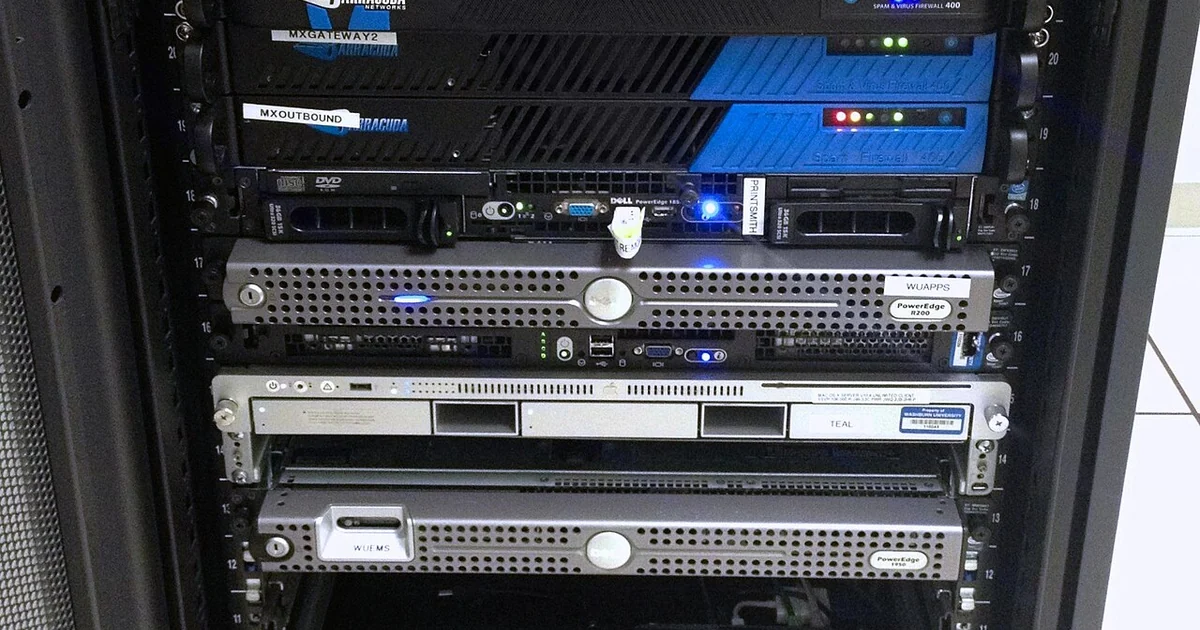
When a technician arrives at a job site, the first twenty minutes often disappear into questions that should have been answered before the visit: Which device is this? Where is it mounted? Who has the admin password? Is it still under warranty? Small businesses rarely have a dedicated asset manager, so these details tend to live in someone's memory or a half-finished spreadsheet. A simple equipment serial log fixes that. It gives you a single place to record what you own, where it sits, and what someone needs to know before touching it. This article explains what belongs in that log, how to keep it current, and what questions to ask before you hand the job to anyone on site.
What a Useful Serial Log Actually Contains
A serial log is more than a list of serial numbers. Each entry should identify the device in terms a stranger could understand: manufacturer, model, the serial number printed on the chassis, and a short name your team uses for it, such as 'front desk printer' or 'back office switch.' Without a plain name, a technician arriving on site may find three identical printers and no way to tell which one is failing.
Location is the field that most businesses leave vague. Record the room, the rack or shelf, the mounting position, and any landmark that helps someone find the device quickly. If a router sits behind a locked closet, note who holds the key. If a device lives in a shared space that changes over time, record when you last confirmed its location.
Also record the purchase date, the vendor you bought it from, and the warranty end date if you know it. You do not need to track every invoice, but knowing whether a device is likely still covered changes the conversation about repair options and replacement costs. Keep these notes factual and dated so you can tell when they were last verified.
Keeping the Log Current Without Turning It Into a Chore
A log that goes stale is worse than no log, because people trust it. The simplest habit is to update the entry at the moment something changes: when a device is moved, replaced, reassigned to a new user, or retired. Assign that responsibility to a named person rather than to 'the team,' since shared responsibility often means no one does it.
Set a light recurring review, perhaps every quarter, where someone walks through the list and confirms that each entry still matches reality. Pick a few devices at random and check the serial against the physical label. This takes less time than most people expect, and it catches drift early. Note the date of each review at the top of the log so that anyone reading it knows how recently it was checked.
Decide where the log lives and who can edit it. A shared spreadsheet with restricted editing rights works for many small offices. Whatever you choose, make sure the people who need to read it during an emergency can reach it, even if the office network is down. A printed copy kept in a known place is a reasonable backup for that situation.
Access Notes and Sensitive Details
Some information belongs in the log and some does not. Record which devices require credentials and who the authorized administrators are, but do not write actual passwords into a spreadsheet that many people can open. Instead, note where credentials are kept and which role holds them. This lets a technician or manager know whom to ask without exposing secrets to everyone with file access.
Think about who will read the log. A field technician needs to know that a firewall is managed remotely and that changes require approval, but does not necessarily need the approval workflow details. Tailor the level of detail to the reader, and keep sensitive items in a separate restricted document if you need them at all.
Record physical access constraints too: badge requirements, after-hours restrictions, or landlord rules about entering a shared electrical room. These details are easy to forget and frequently cause wasted trips.
A Pre-Visit Checklist You Can Use Today
Before any technician arrives, work through a short list. First, confirm that every device the technician will touch appears in the log with a current serial and location. Second, identify the person on site who can grant access and confirm they know the visit is happening. Third, note any known symptoms, error messages, or recent changes, including the date they began.
Fourth, verify warranty status and vendor contacts for the affected devices. Fifth, list any credentials or approvals the technician will need and confirm who can provide them. Sixth, decide what a successful visit looks like, so you can judge the result afterward.
When you compare your current records against this checklist, you will likely find gaps. That is useful. Each gap is a question to answer before the next visit, and filling them in gradually produces a log that actually saves time. The goal is not perfection but a record that is accurate enough that a stranger can act on it.