Field Service Documentation: What Small Businesses Should Capture Before the Technician Arrives
When a technician shows up at a small business to fix a printer, rack a switch, or pull new cable through a ceiling, the visit is only as productive as the information available at the door. Field service documentation is the set of records that describes where equipment is, how it is connected, what has already been tried, and who is allowed to approve work. Most small businesses have some of this information scattered across email threads, sticky notes, and the memory of one long-tenured employee. Gathering it deliberately turns a scramble into a predictable visit and leaves behind a record that is useful long after the work is done. This article explains what to capture, how to keep it current, and what questions to ask any provider about how they handle documentation on their side.
Start With a Site Inventory
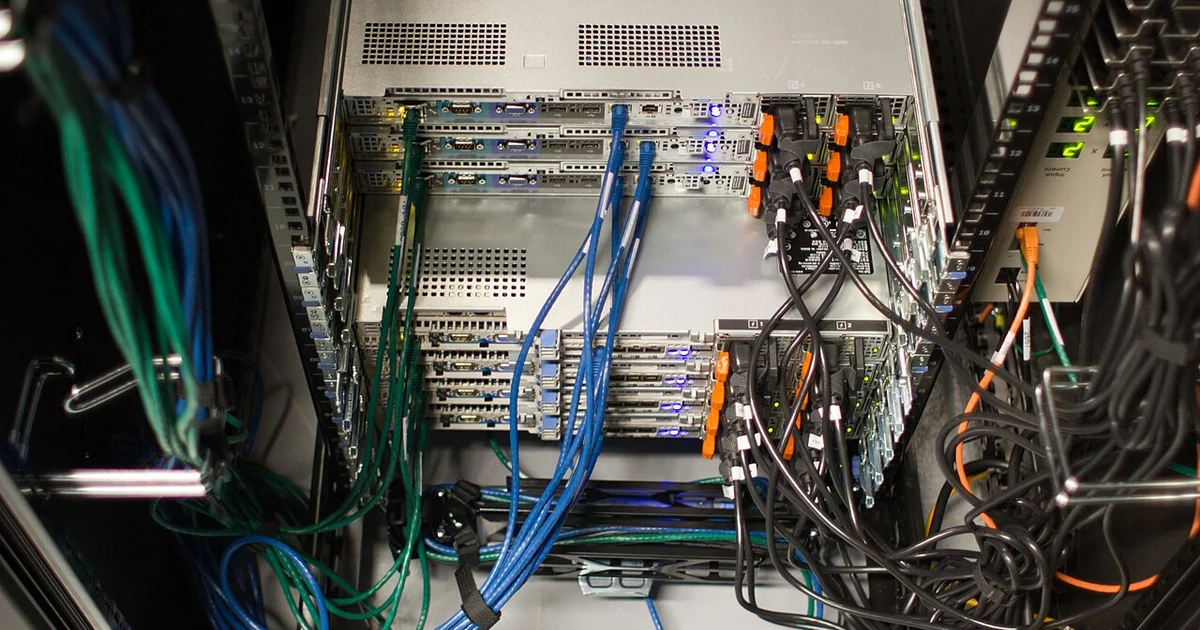
A site inventory is a plain list of the physical and logical assets at each location. For each device, record the make, model, serial number, approximate install date, physical location, and the name of the person who usually uses it. Include network equipment such as routers, switches, access points, firewalls, and any patch panels, along with the room or closet where each one lives. Photograph the closet or cabinet once, with labels visible, and store the photo alongside the list.
The inventory does not need specialized software to be useful. A shared spreadsheet with one row per asset and a column for last-verified date will serve most offices with a few dozen devices. The important habit is updating it when something changes, such as a laptop being reassigned or a printer being replaced. An inventory that was accurate two years ago and never touched again becomes a source of wrong assumptions, which can waste more time than having no inventory at all.
Map Connections and Cabling
For any site with structured cabling, wall jacks, or a server closet, a simple connection map pays for itself quickly. Label each cable at both ends with a consistent scheme, then record which patch panel port connects to which jack or device. If you do not have a map, a technician may spend the first part of a visit tracing cables before doing any useful work. Even a hand-drawn diagram with port numbers, uploaded as a photo, is better than none.
Include power information as well. Note which outlets feed which equipment, whether any devices sit on a shared circuit, and where the closest shutoff or breaker panel is located. Record the location of the internet demarcation point and the name of the carrier, but keep account numbers and credentials out of general shared files and store them in a restricted location.
Record Work History and Known Issues
Every visit should leave a short written note: what was done, what was tested, what was left unresolved, and what the next step is. Over time these notes form a history that prevents repeated diagnosis of the same problem. If a particular access point has dropped offline three times in a year, that pattern matters, and the note from each visit should say so. Ask technicians to describe the root cause in plain language rather than only listing the actions taken.
Keep a running list of open issues with an owner and a date opened. When a problem is deferred because of budget or scheduling, write down that decision and the reason. Future staff will then understand why a known issue still exists instead of assuming it was overlooked.
A Practical Pre-Visit Checklist
Before scheduling any on-site work, confirm that you can answer these questions: Who is the on-site contact, and how can they be reached during the visit? What specific problem or project is being addressed, and what does success look like? Which devices, rooms, or systems are involved, and are they labeled? Is there any access restriction, such as a locked closet, alarm code procedure, or building management requirement, and who holds the key or code? Are any systems that must not be interrupted, and what are the approved maintenance windows? Who has authority to approve additional work or unexpected costs?
Having these answers ready prevents the most common causes of wasted visits: arriving without access, discovering the wrong device, or stopping mid-job because no one with authority is present.
Questions to Ask Your Provider
When evaluating any technology provider for field work, ask how they document their visits and what you will receive afterward. Useful questions include: Will I get a written summary after each visit, and what does it typically contain? How do you record changes to network diagrams, cable labels, or device configurations? Who on your side maintains the records, and how would I access them if you were unavailable? How do you handle sensitive credentials, and where are they stored? What is your process when a visit reveals work outside the original scope? Does your team follow a written procedure for closing out a visit?
Answers to these questions reveal how seriously a provider treats documentation. Be cautious of vague responses, and verify any commitments in writing before relying on them. A provider's description of its own process should be confirmed in the service agreement rather than assumed.
Good field service documentation is not glamorous, but it is one of the most reliable ways for a small business to reduce downtime, control costs, and avoid depending on a single person's memory. Begin with the inventory, add the connection map, keep visit notes disciplined, and use the checklist before every appointment. The effort is modest, and the payoff compounds with every visit.