Data Center Migration: Checklist Items Teams Forget Before Moving Racks
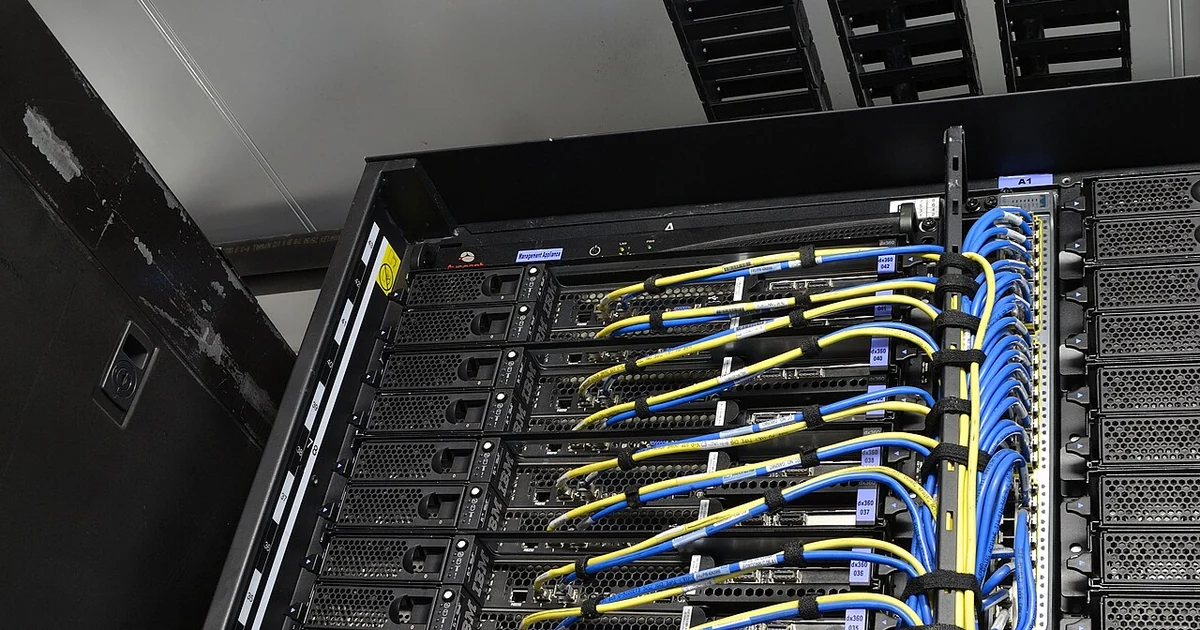
Moving servers out of a closet, a shared suite, or an aging server room sounds like a physical job, but most migration problems begin on paper. A rack can be lifted onto a truck in an afternoon. The harder work is knowing what is in that rack, what depends on it, and what must be true before it powers back on in a new place. This article focuses on a narrow set of checklist items that small teams tend to skip, and on the questions to ask so that the checklist reflects how your systems actually behave rather than how you remember them.
Start With a Physical Walkdown, Not a Spreadsheet
Before you open any migration template, walk the room with a notepad or a phone. Note every device that draws power, every patch panel, every switch, every battery backup, and every cable that leaves the space. Many teams discover that a device they assumed was retired is still plugged in, or that a small appliance on a shelf is quietly handling a function nobody documented. The walkdown produces a rough inventory that you then reconcile against whatever records you already have.
Photograph the front and back of each rack before anything is disconnected. Photos are not a substitute for labels, but they capture cable routing and device order in a way that memory will not. Ask yourself whether anyone on the team could reconstruct the current layout from the photos alone if the original person were unavailable that week.
Power Questions That Decide Your Sequence
Power is where many moves go wrong. Before any shutdown, list each circuit the equipment uses, the breaker or panel that feeds it, and whether the device has redundant power supplies. Ask which systems must shut down first and which can stay up longest, because that order usually reverses on the way back up. Also ask whether the destination site can supply the same amperage and receptacle types, and who verified that claim.
Write down the expected load in watts for each rack and compare it against what the new location can provide. A rack that ran comfortably on a dedicated circuit may trip a shared one. Do not rely on nameplate ratings alone; check what the equipment draws under normal operation if that data is available.
Cabling, Labels, and the Things Nobody Labels
Cable labels are only useful if they match the current configuration. Confirm that each cable label reflects the port it actually occupies today, not the port it used three upgrades ago. Check uplinks, out-of-band management connections, and any cable that runs between buildings or rooms, since these are the connections most likely to be forgotten.
Record the type of each cable run, its length, and whether it is fiber or copper. For fiber, note connector types and whether transceivers travel with the device or need to be re-ordered. These details matter because a technician arriving with the wrong patch cord can stall the entire cutover window.
Inventory and Dependency Records
An inventory should list hostnames, serial numbers, firmware versions, IP addresses, and the business function each device serves. The function column is the one most often left blank, and it is the one that prevents surprises. Ask for each device: what breaks if this goes offline, and who in the business would notice first?
Build a short dependency list that answers the question of what must come up before what. Authentication services, DNS, and shared storage often sit at the root of this list. A checklist that starts with the file server and ignores directory services will fail in predictable ways on migration day.
A Pre-Move Checklist Worth Printing
Use the following items as a starting point, adapting each to your environment. Confirm the physical walkdown is complete and photographed. Verify the destination power capacity and circuit types in writing. Reconcile labels against the current port map. Record every cable type, length, and transceiver requirement. Complete the inventory with function, owner, and firmware version. Document the shutdown order and the reverse startup order. Confirm backup status for each system, and name the person who signs off on restoration. Decide in advance what counts as a successful move and what triggers a return to the original location.
None of these items guarantees a smooth migration, and no checklist replaces judgment about your specific systems. Their value is in forcing decisions into writing before the pressure of a live cutover makes those decisions for you. Review the list with everyone who will touch the equipment, and revisit it after the move to capture what you learned.